
Student-Directed Stop Motion Animation Project with Second Graders
Eight year-olds take charge in planning, directing, and animating a stop-motion video while using group work techniques

If I told you that our second graders were learning about immigration, what’s the first thing that comes in your head? Is it the Statue of Liberty? Would you furrow your brows, concerned based on our current political state? Or maybe, you might cock your head in interest as if to wonder how eight year-olds could possibly wrap their minds around immigration?
No worries. Same here. All of the above. Especially when it was first pitched to me by the second grade homeroom teachers.
Starts in Social Studies
We have an amazing powerhouse pair of second grade teachers that are equally committed to showcasing diverse, relevant stories of immigration experiences. Our second graders start learning about immigration in their homeroom classes, where they deep-dive into the following questions:
What does it mean to immigrate?
What are push / pull factors of immigration?
Who immigrates around the world?
What are some immigration experiences, especially hearing from people in our community?


I won’t go too deep into their Social Studies unit as I’d like to focus on the makerspace portion of this project, though their unit serves as crucial context for the work we do.
Okay! Let’s get on with it.
Project Overview
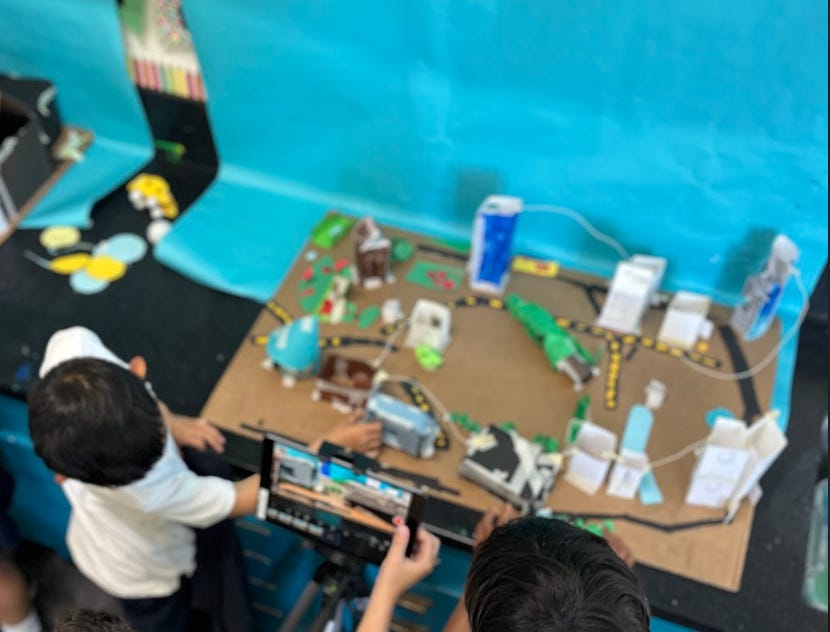
Phase 1: Create communities with distinct cultures and themes
These cultures were unique to the students’ interests and didn’t reflect any real-life cultures. We wanted students to be invested in building these communities and frankly, we didn’t believe that we had enough class time to explain to students how to reflect real-life communities with respect and justice to their cultures.
Phase 2: Immigrate to a different community
One or two students had to “immigrate”, meaning physically move into a different team, to a new community. There, they learned the other community’s cultures and practices as well as develop a whole new working dynamic. In their social studies class, students start writing a short play of how their characters would have navigated the transition.
Phase 3: Animate the process of immigrating between communities
With their new communities of melded cultures, students worked in groups to animate how their characters might have immigrated from their original communities and how the new communities would have received them. What did they have to bring? What did they leave behind? How did they travel? Who welcomed them, if any?
Keep reading for more information on the phases.
Phase 1: Creating Communities


Before we start on any makerspace related activities, I had students plan out what their communities would feel like. In Year 1, I had them write out their ideas, which of course, turned out terribly. They’re eight! This is a fun makerspace class! We should be getting messy! So in Year 2, I had students make a vision board: cutout images that evoked the “vibe” of their community. It turned out to be a much better activity as they could visually see their teammates’ ideas come to life.
In these vision boards, students had to answer the following questions:
Describe the average citizen of your community. Who are they? What do they look like? What do they wear? How does that connect to the theme?
Describe the “theme” of your community. What are they known for? What do they center their identities on? What’s something really important to them? How does that connect to the theme?
Draw where your community thrives. What do your citizens need in order to live well? What would they need or have? How do they move from place to place? How does that connect to the theme?
Some communities resembled students’ past times (i.e. skiing, basketball, cafés) or their dream jobs (i.e. pet walkers, artists, NBA players). Either way, each group had to decide on exactly what made each of their communities unique.
I also developed a few tools for group work that would help student teams found here:
Phase 2: Immigration + 3D Printing
When students immigrate to other communities, students chose a “3D Printing Expert” in charge of creating their citizens on TinkerCAD. Students used the TinkerCAD iPad app and went through the basic tutorial to start designing their characters. This was a new feature in Year 2 of the project.
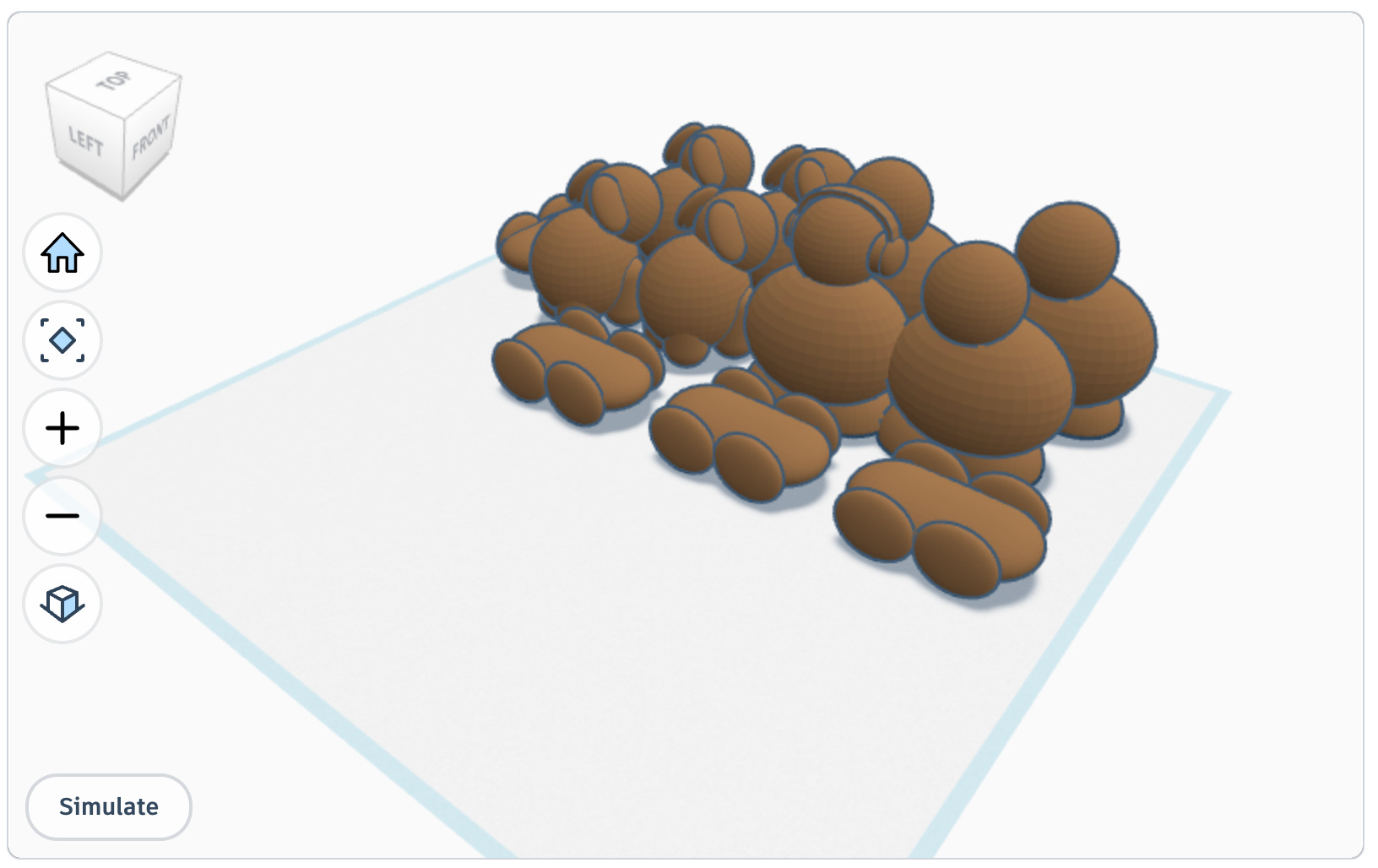
Students conferred with their teammates on what their characters would look like and designed citizens based on their team’s feedback. Note that students had nine, 45-minute class sessions to learn, design, and garner feedback on their 3D projects! I was quite impressed with my students’ determination.
Phase 3: Stop Motion Animation
In Year 1, I had students go straight into animating and learned the skill as they worked. While it saved a few class periods, their final products weren’t as polished as I hoped. In Year 2, I saved 3 class sessions to have students practice animating with random objects. Students also practiced their roles to ensure a smooth filming process. These roles proved to be extremely helpful in creating a collaborative working environment in each group.
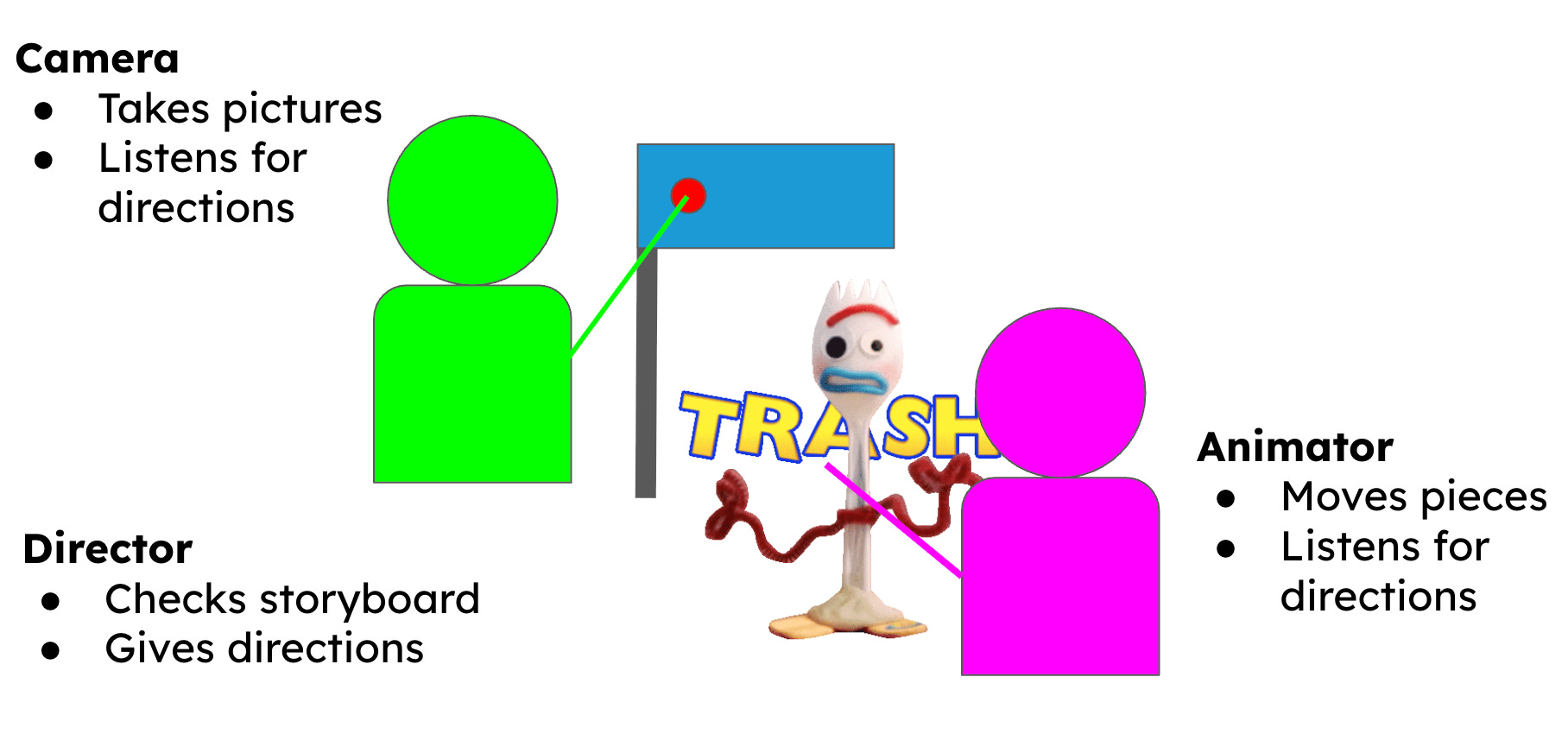
We used the Stop Motion Studio app to create our videos. It is simple enough for younger students, but with enough extra features to make each video unique.
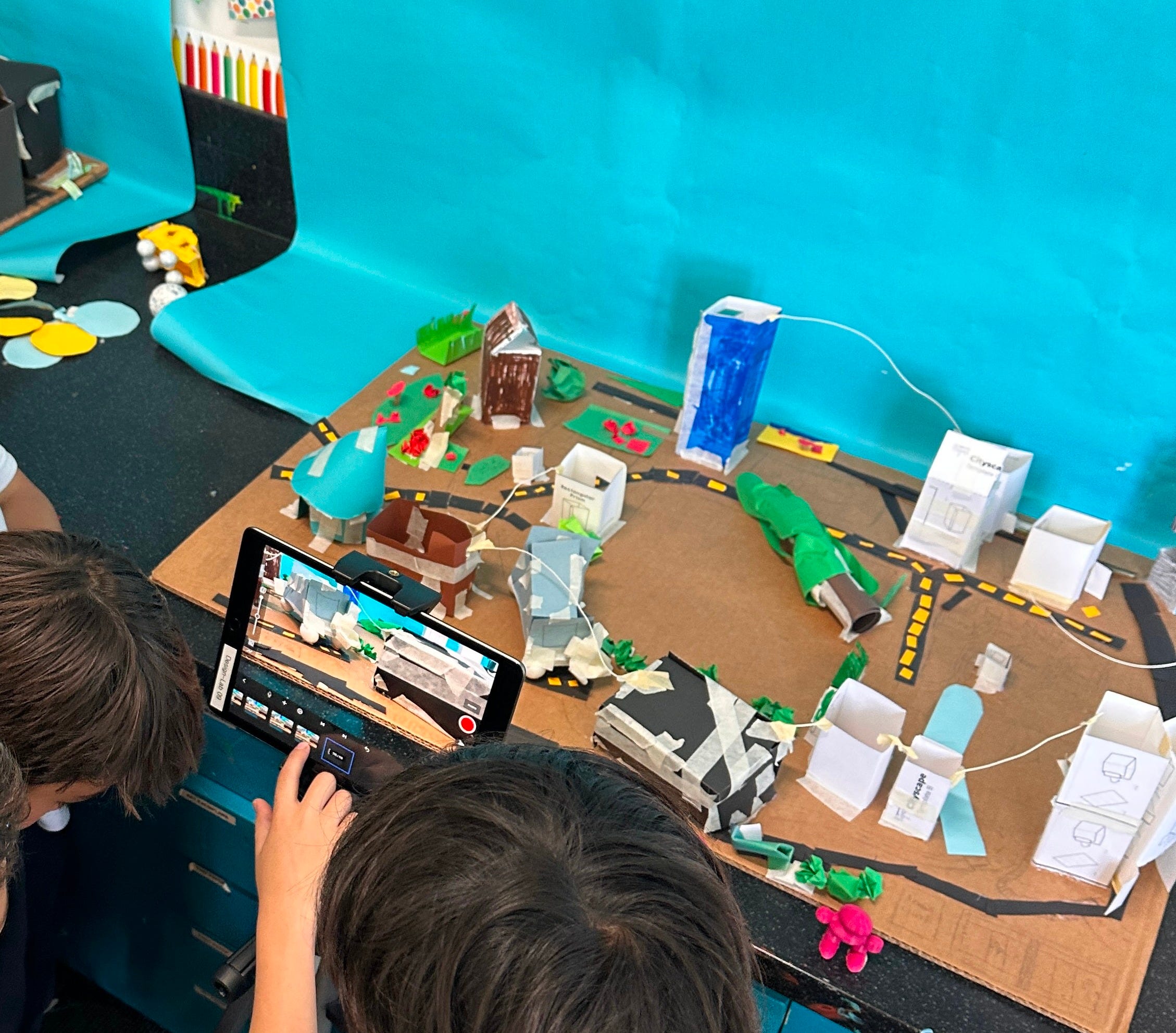
We’re getting to the fun part now! Once students had all the components of their projects ready, they got to get started with filming their short videos. By this part of the project, students were so used to working in teams, roles, and the hard skills of animating that all I had to do was sit back and facilitate.
I got to give them technical feedback (“Move each character smaller so your video looks smoother!”), give materials they needed, or assuage larger disputes between teams. This portion of the project took about 9 class periods, in which students were in complete charge of their teams.
This is my favorite part of every course, where students were so confident in their abilities that I was simply a supporting character.
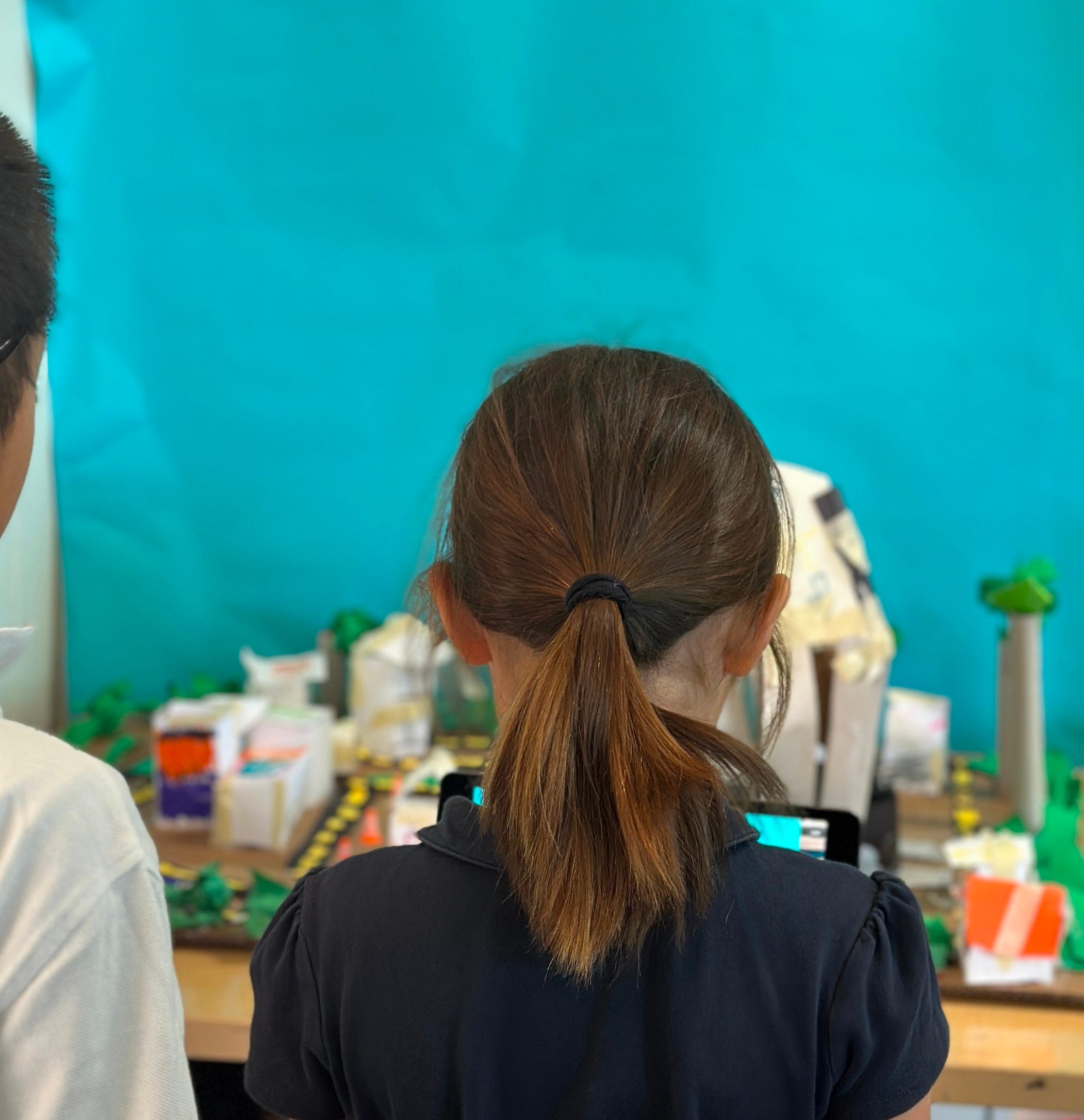
And here’s your final gift for making it to the end of the post: two examples of student work! We got to hold a “Premiere Showcase” with parents and caregivers to present their year’s worth of Social Studies and Innovation projects. By the end of this project, the art and music classes got involved with adding their own disciplines into this Showcase. What a cool multi-disciplinary project!
Future Work
Looking toward Year 3 of this project, here are some ideas I’m thinking through:
Incorporating current news on immigration. It’s important for young students to understand that immigration isn’t relegated to the past—it’s happening in the present. The injustice done to immigrants is abhorrent and shouldn’t be left out of our conversations. However, I also believe that there’s an age appropriate way to talk about deportations. I have much to learn on that matter, but if anyone has any resources, please send them my way.
Creating “studio-like” conditions. In a perfect world where I’m not sharing a room with another teacher, I’d love to be able to have a permanent stop-motion animation studio in which students can control lighting and background. I’m still in the process of researching DIY solutions for a temporary studio set-up, so if anyone has ideas, let me know!
Solidifying building techniques for more polished pieces. Part of the charm of an elementary school project is the “messiness” of their work. However, I’d like my students to showcase a bit more finesse in their paper engineering, by using less tape and more hot glue or even seamed cardboard techniques. Maybe this is the year I use laser cutting for their buildings! Maybe creating music in Music? So many possibilities.
I truly thank you for making it this far. Let me know your thoughts, comments, or concerns in the comments below. I’d love to read them.